Lunar System Documentation home page
Search...
⌘K
Ask AI
Search...
Navigation
Installing Bridge
Bridge as Service Disconnect
Documentation
Compliance
Welcome
System Components
Lunar Battery (AC ESS)
Lunar Maximizer
Lunar Maximizer Hub
Lunar Bridge
Lunar MSA Controller
Other Parts and Accessories
What's in the Box
System Configuration
Whole-Home Backup with Bridge
Partial Backup with Bridge
Whole-Home Backup with MSA
Roof Installation
Design Requirements
Installing Maximizer
Installing Maximizer Hub
Energy Storage System Installation
Planning ESS location
Installing Wall Brackets
Mounting ESS
Installing Conduit
Wiring the Inverter
Connecting ESS
Final Assembly
Microgrid Interconnect Device Installation
Installing Bridge
Planning Bridge Location
Mounting
Installing Conduit
Wiring Specifications
Compatible Breakers
Communication Wiring
Bridge as Service Disconnect
Installing MSA Controller
Smart Breaker & CTs Installation
Installing Smart Breakers
Installing Rogowski Coils (CTs)
Commissioning
Commissioning the System
Onboarding Homeowners
Installer Support
Installing Bridge
Bridge as Service Disconnect
1
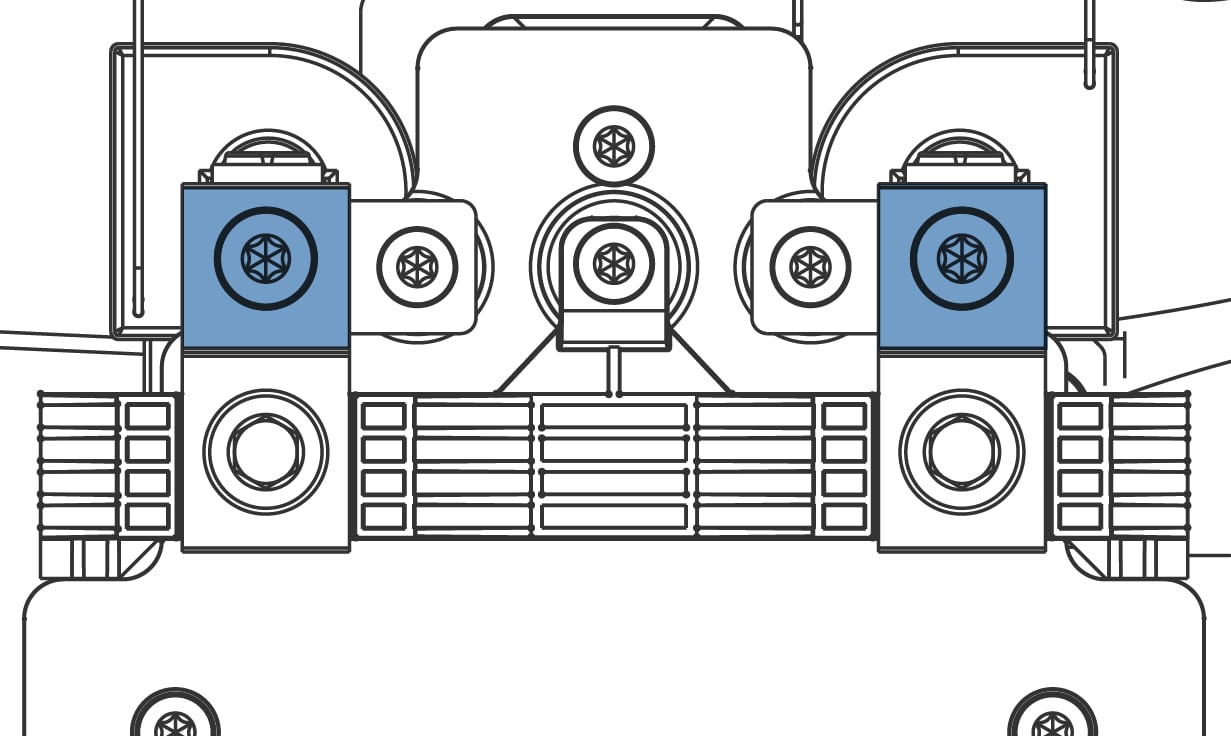
Remove grid supply lugs (top center) by unscrewing 2x M6 bolts (T25/T27). Save bolts.
2
Remove and discard the plastic retainer (T25).
3
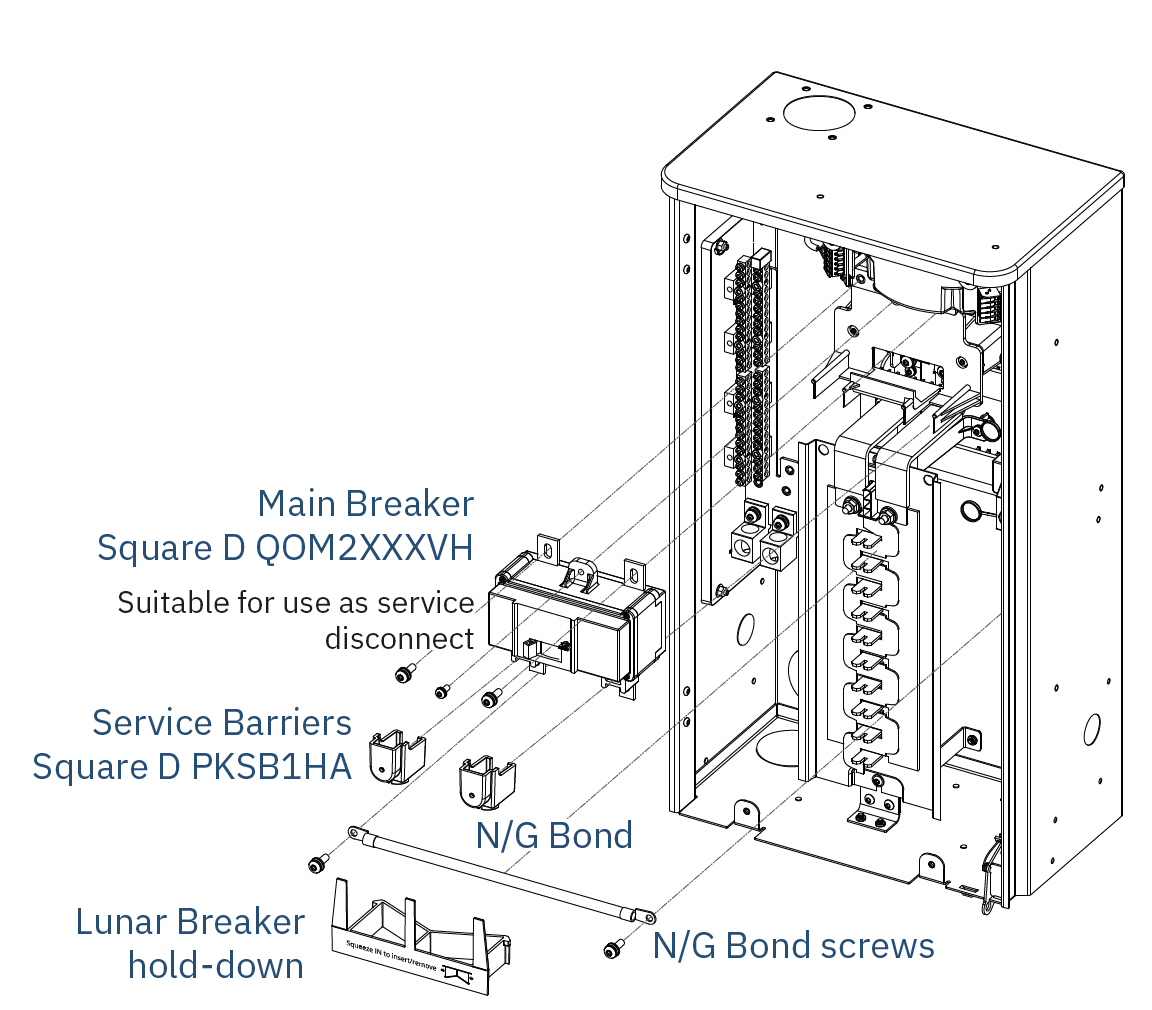
Insert main breaker by engaging bottom tabs into relay cover and rotating top into position.
4
Secure breaker tabs with saved M6 bolts. Torque: 75 in-lbs (9 N-m).
5
Secure top of breaker assembly with manufacturer bolt or saved screw. Torque: 30 in-lbs (3 N-m).
6
Apply Service Disconnect label adjacent to the breaker.
Was this page helpful?
Yes
No
Communication Wiring
Installing MSA Controller
⌘I